Changelog

Follow new updates and improvements to TextWisely.

March 2nd, 2026

This release focuses on improving stability and reliability for instant actions and adding more model options.

What’s new

  • Added support for the latest AI models from various providers: GPT-5.2, Claude 4.6, Gemini 3 Flash, Gemini 3.1 Pro, and more

Improvements

  • Instant actions are now more stable, even on flaky connections

Fixes

  • Slack: Fixed an issue where emojis were removed during processing

  • Notion: Fixed a problem where hidden HTML comments were being mixed into text selections

  • Fixed a bug where the Escape key was passed to the foreground app after canceling an action, causing unwanted side effects

  • Resolved a rich response formatting issue that could cause wrong action results
February 25th, 2026

This update improves your text workflow by letting you compare changes and preserve original formatting when you use results across different apps. You'll also find it easier to navigate between responses with a focus on results, changing models, and retrying responses right within chat.

What’s new

  • Rich text formatting supportRich text formatting is now preserved for AI responses and instant actions (including shortcut-based actions):

    • This means that generated output will keep its structure, styling, inline links, and mentions (like @Slack) instead of being flattened into plain text. This feature helps you improve text faster with copy/insert functionality across Slack, Jira, web apps, and native apps. It also lets you run instant actions on larger blocks of text at once, giving more context to those actions.

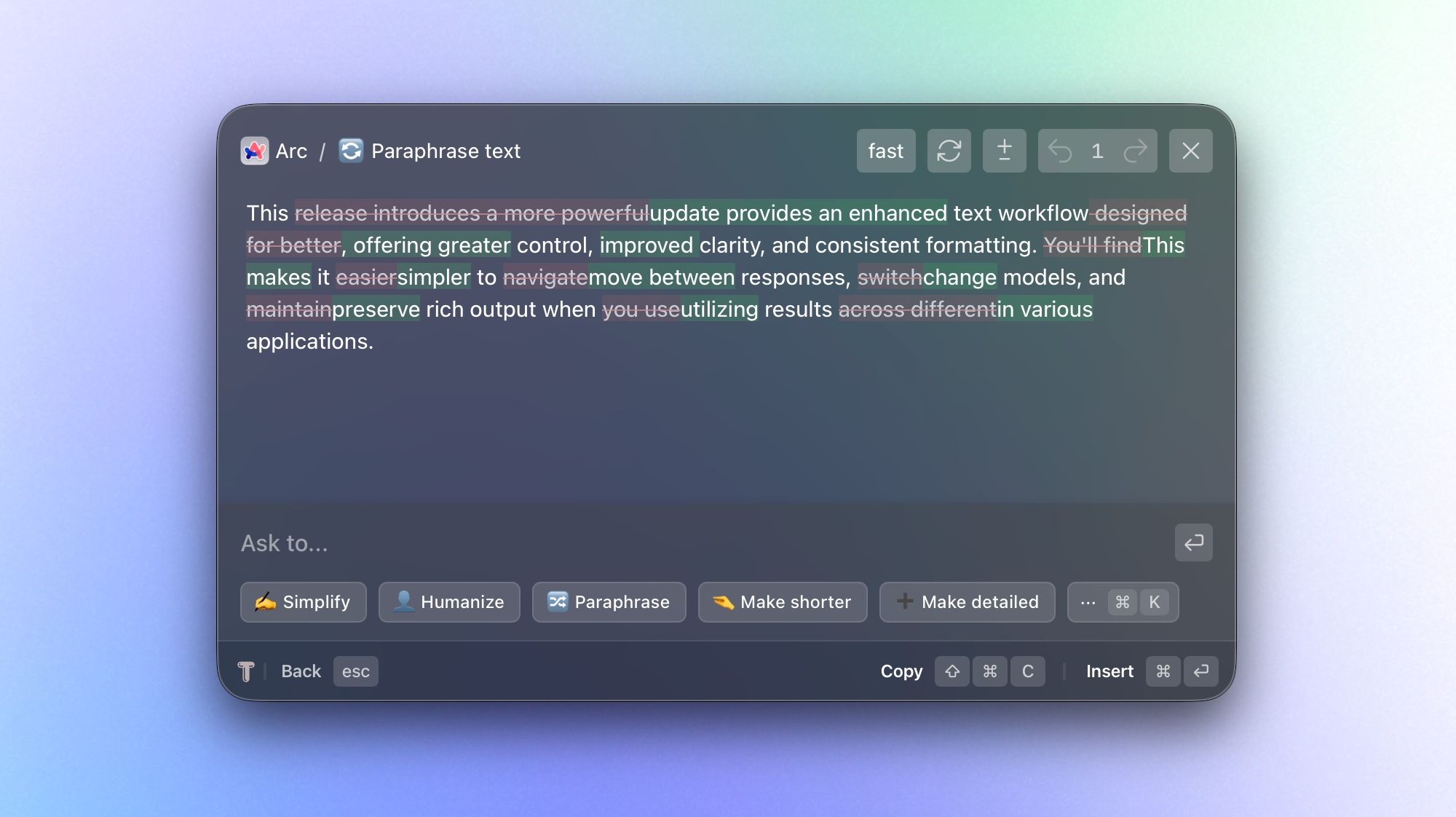
  • Highlight changes in review windowSee changes within text and between multiple responses with message-to-message diffing:

    • In chat mode, you can now compare iterations to see exactly what has changed. This is especially useful when you're refining drafts or evaluating alternative outputs.

  • AI Model Selection for ChatChoose a model before you start a chat, then switch models at any point during the conversation:

    • Start with the model that's best suited for your task and adjust as your needs change or if you're not happy with the result. This gives you more flexibility to balance speed, quality, and style within a single workflow.

  • Navigate chat in one-message-per-view mode with backward/forward navigation:

    • Instead of scanning a long, continuous thread, you can now step through responses one at a time. This makes reviewing and comparing easier, especially for longer iterations.

  • Retry/regenerate messages directly in chat:

    • If a response didn't meet your expectations, you can quickly request a fresh version without interrupting your workflow. This makes iterating faster and more natural.

Improvements

  • Faster, more responsive chat generation

  • Instant actions can be canceled with the Escape key during generation.

  • Stop chat generation at any time

  • Streaming animation for incoming messages

  • “More actions” can be toggled with ⌘K

  • Remove context with ⌫ Backspace when the prompt input is empty

  • Stability improvements during instant actions generation

January 24th, 2026

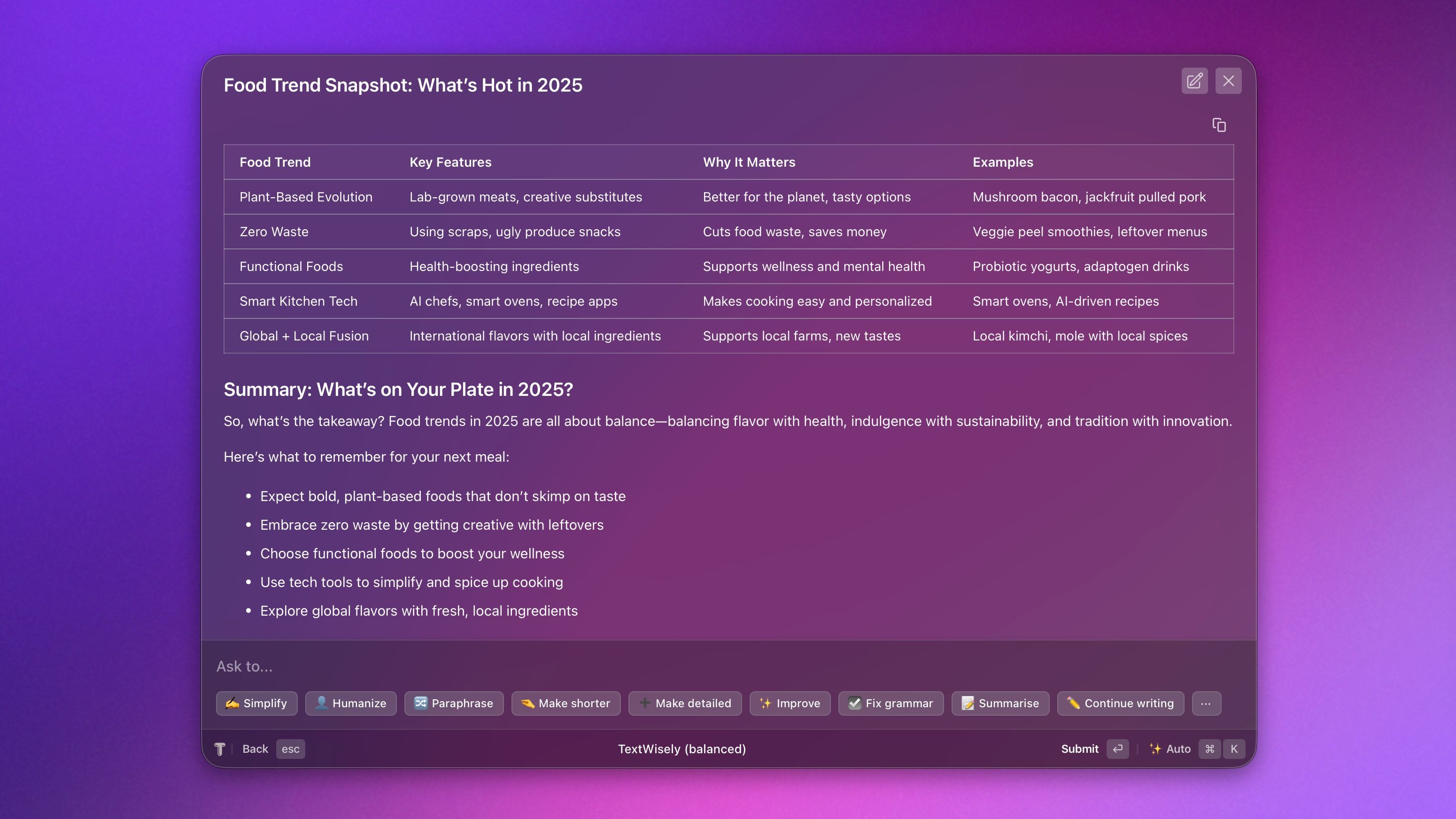
This release adds Markdown rendering in agent responses, enabling the display of tables, formatted text, headings, strikethroughs, code syntax highlighting, and Mermaid diagrams.

What's new

  • Full Markdown support in agent replies, including formatted text, tables, diagrams, and code blocks

  • When copying responses, all formatting, such as headings, tables, and bullet points, is preserved

  • New options to copy tables as CSV, as well as copying code blocks and diagrams

Fixes

  • Resolved an issue where starting a new chat would reset if the app was hidden for more than 5 minutes

December 4th, 2025

Improvements

  • TextWisely model now defaults to “balanced” (fast remains available for manual selection). Most users prefer “balanced” as the default, while “fast” works well for quick text fixes.

  • Configured providers are now verified on app launch, so you can see at a glance if any are misconfigured, inaccessible, or have inactive API keys.

Fixes

  • Fixed License key sometimes resets even for valid activations for some users

    • Note: This is a breaking change that will require you to activate your license again in the app, which can be found in your dashboard or subscription email

  • Fixed duplicate alert being displayed when no model was configured

  • Fixed misconfigured TextWisely model being automatically added on license activation

November 24th, 2025

New

Improved

Fixed

What’s new

  • Added support for new models: Gemini 3 Pro Preview and GPT 5.1 are now available in provider configuration options

Fixes

  • Fixed an issue where selected text wasn’t displayed for very large selections

  • Fixed an issue where alerts could cause an app crash when executing actions

  • Context no longer reappears with animation when switching routes

  • Fixed an issue where the "show app" instant action prompt wasn’t updating for new text selections in the same chat

Improved

  • Improved the performance of the "Work with selected text" context panel animations, making them feel more responsive and fluid

November 7th, 2025

New

Improved

We’re thrilled to unveil a completely redesigned app — reimagined from the ground up to be faster, simpler, and more intuitive. This major release brings a fresh new look, smoother navigation, and powerful new capabilities that make everyday use a delight.

Before you update: If you have custom actions or personas, save their prompts before you update. This update won't work with old actions and will replace them, so you don't want to lose them.

What’s new:

🎨 Complete Redesign
A bold new interface that enhances clarity and usability. Every screen, interaction, and detail has been refined for a smoother, more cohesive experience — both inside and out.

🚀 New Actions + Dedicated Translation Actions
Supercharge your workflow with 43 new actions and purpose-built translation actions designed to make switching languages effortless.

💬 Chat History
Your recent conversations are now saved locally — up to your 100 most recent chats — so you can revisit them anytime. Press ⌘+Y to search your chat history instantly.

↔️ Resizable Chat Window
Customize your workspace by resizing the chat window. Simply drag the edges to give yourself more room for longer conversations or compact it to focus.

↩️ Follow-Up Actions for Responses
You can now easily tweak any AI response with follow-up actions. Need it shorter? A different tone? Or maybe translated? No problem!

🌍 Switch Languages
Effortlessly switch between different languages at any point during your chat. This makes multilingual conversations smoother and more natural than ever before.


➡️ Coming next

This release sets the foundation for even more future innovations — and we can’t wait to show you what’s next:

Folders for actions — Keep your workspace tidy and efficient by organizing actions into custom folders

AI Model Selection for Chat — Gain flexibility by selecting specific AI models for individual chats

Highlight changes in review window — Easily spot text changes with visual highlightings in the chat window

Render markdown content — Enjoy better readability and presentation with full support for rendering markdown content within the app

August 19th, 2025

Fixed

Fixes

  • Resolved an issue where text longer than 500 characters sometimes could not be attached as context

  • Addressed a race condition that could reset provider configuration settings when changed during an ongoing request

August 12th, 2025

New

Improved

Fixed

We’re excited to introduce Multi-provider support, aka BYOK (Bring Your Own Keys), a new major feature that enables you to use personal API keys for a pay-as-you-go license and choose from multiple AI providers for more flexibility. This update also brings a one-time purchase licensing option, enhanced provider modes, and improved user experience.

Release Summary

🤖 Choose your AI engine
Use xAI, Google AI, OpenAI, Anthropic, DeepSeek, OpenRouter, Ollama, or any OpenAI-spec compliant provider – mix and match them to suit each task.

💡 Run models locally with Ollama
Keep your prompts private and offline by running local models right on your machine.

🔑 Pay-as-you-go with your own API keys
Got an OpenAI key? Add it to TextWisely and use a one-time purchase license without a subscription.

⚡ Fresh models for subscribers

  • Fast: Gemini 2.5 Flash-powered

  • Balanced: GPT-4.1 Mini-powered

🗣️ Per-action provider control
Assign specific models to certain actions, or set a default for deeper reasoning tasks.

With this update, you decide how to balance speed, privacy, cost, and capability.


New Features

  • BYOK (Bring Your Own Keys) functionality with multi-provider support, enabling the use of personal API keys (e.g., OpenAI)

    • xAI, Google AI, OpenAI, Anthropic, DeepSeek, OpenRouter, Ollama, and any custom OpenAI spec-compliant provider are supported

    • Tip: In cases where you need to ensure data does not leave your machine, Ollama integration can be used with local models

  • Support for one-time license purchases with pay-as-you-go pricing (BYOK)

  • New models for the TextWisely provider (available with a subscription license):

    • Fast: Gemini 2.5 Flash-based

    • Balanced: GPT 4.1 Mini-based

  • You can assign different providers (models) to specific actions or set a default provider

Improvements

  • Added helpful messages to inputs in settings

  • Updated help link within the onboarding

Fixes

  • Fixed an issue where tags in user messages, e.g., , were removed from the response

August 1st, 2025

Improved

Fixed

Improvements

  • Make the settings window larger and allow minimizing

  • Stability and performance improvements

Fixes

  • Fixed an issue where a message was incorrectly restored after a global action failed

  • Prevented clearing license data when the network was offline

July 29th, 2025

Improved

Fixed

Improvements

  • The "Paraphrase" action now produces higher-quality responses

  • Ad-hoc prompts now appear last in the action list to speed the selection of predefined actions

  • Clicking an action will now execute it when a message or context is attached (previously, only the "⏎ Enter" key executed actions)

Fixes

  • Fixed a bug in the action settings where undo/redo operations incorrectly changed the text in the selected action, using the undo/redo text from the previous action