v0.2.0 – Rich Text, Changes Review & Chat Navigation
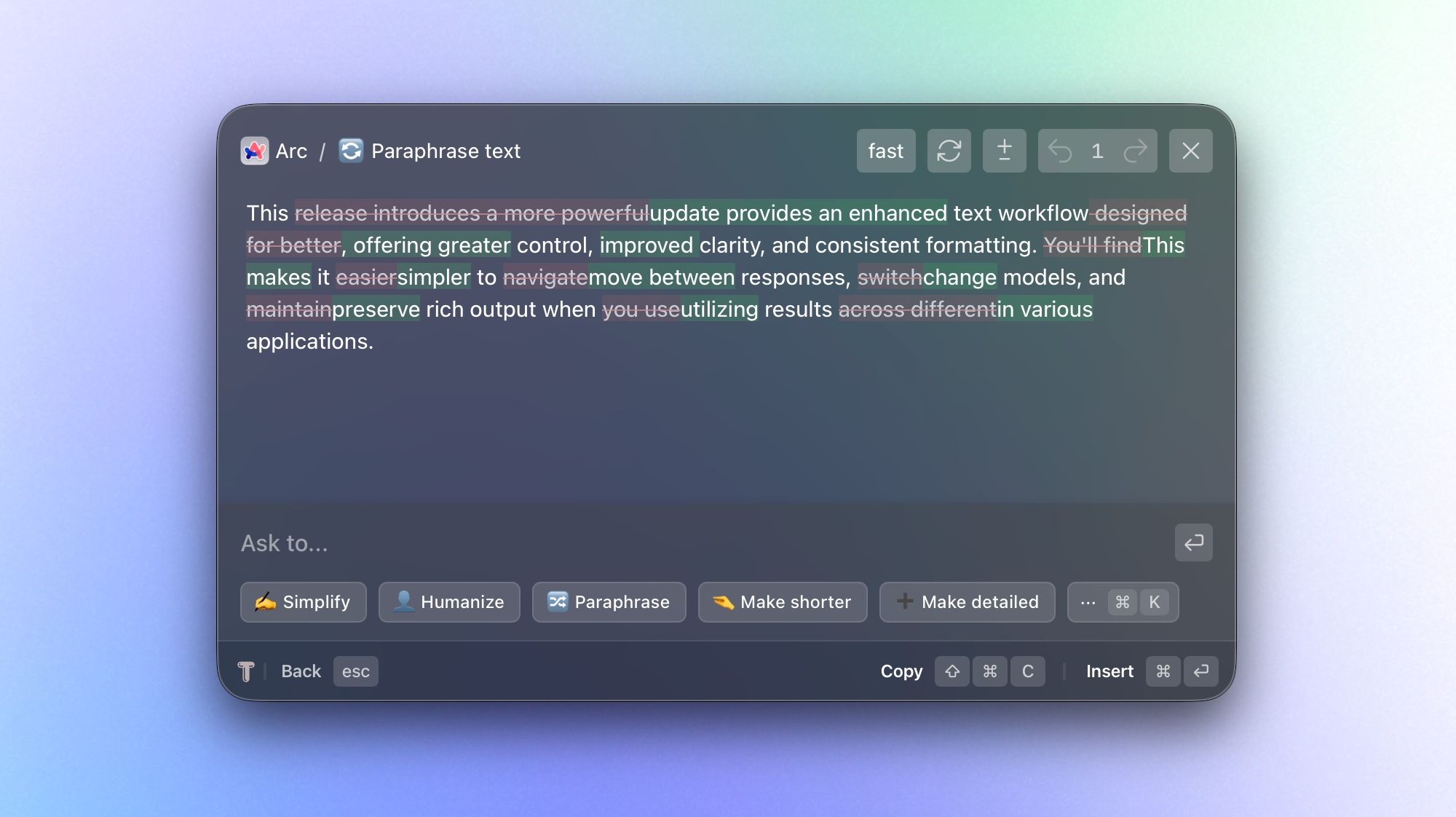
This update improves your text workflow by letting you compare changes and preserve original formatting when you use results across different apps. You'll also find it easier to navigate between responses with a focus on results, changing models, and retrying responses right within chat.
What’s new
Rich text formatting support – Rich text formatting is now preserved for AI responses and instant actions (including shortcut-based actions):
This means that generated output will keep its structure, styling, inline links, and mentions (like
@Slack) instead of being flattened into plain text. This feature helps you improve text faster with copy/insert functionality across Slack, Jira, web apps, and native apps. It also lets you run instant actions on larger blocks of text at once, giving more context to those actions.
Highlight changes in review window – See changes within text and between multiple responses with message-to-message diffing:
In chat mode, you can now compare iterations to see exactly what has changed. This is especially useful when you're refining drafts or evaluating alternative outputs.
AI Model Selection for Chat – Choose a model before you start a chat, then switch models at any point during the conversation:
Start with the model that's best suited for your task and adjust as your needs change or if you're not happy with the result. This gives you more flexibility to balance speed, quality, and style within a single workflow.
Navigate chat in one-message-per-view mode with backward/forward navigation:
Instead of scanning a long, continuous thread, you can now step through responses one at a time. This makes reviewing and comparing easier, especially for longer iterations.
Retry/regenerate messages directly in chat:
If a response didn't meet your expectations, you can quickly request a fresh version without interrupting your workflow. This makes iterating faster and more natural.
Improvements
Faster, more responsive chat generation
Instant actions can be canceled with the Escape key during generation.
Stop chat generation at any time
Streaming animation for incoming messages
“More actions” can be toggled with ⌘K
Remove context with ⌫ Backspace when the prompt input is empty
Stability improvements during instant actions generation